
Coming soon to Google Play
Your phone goes silent at prayer time.
Just before the adhan, your phone switches to silent on its own. After prayer, the sound comes back by itself. No more ringing in the middle of prayer, and no more missed calls because you forgot to turn the sound back on.
Features
Built because its maker kept forgetting to silence the ringer when prayer time came, or to turn it back on afterwards.
-
Silent on its own, then sound again
All five daily prayers, without touching your phone. The sound is restored after prayer, with a heads-up about the next prayer time.
-
Adjustable silent window
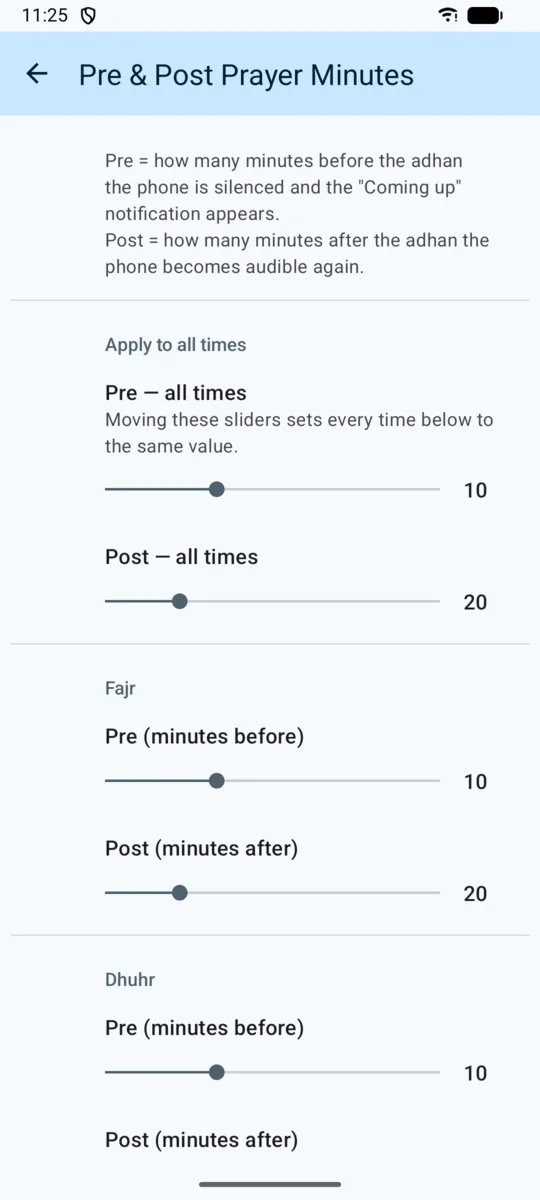
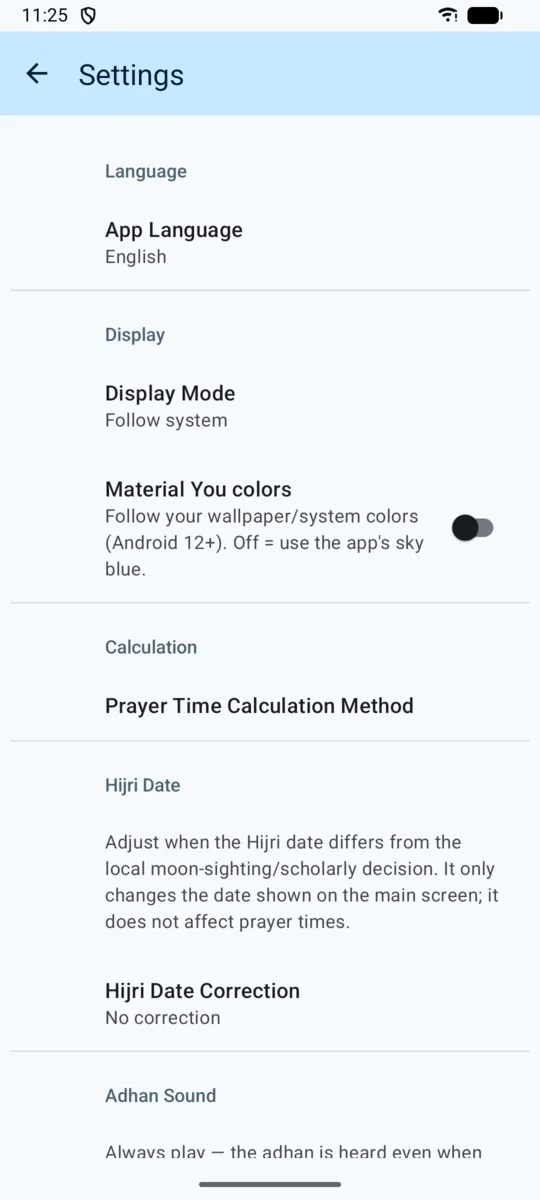
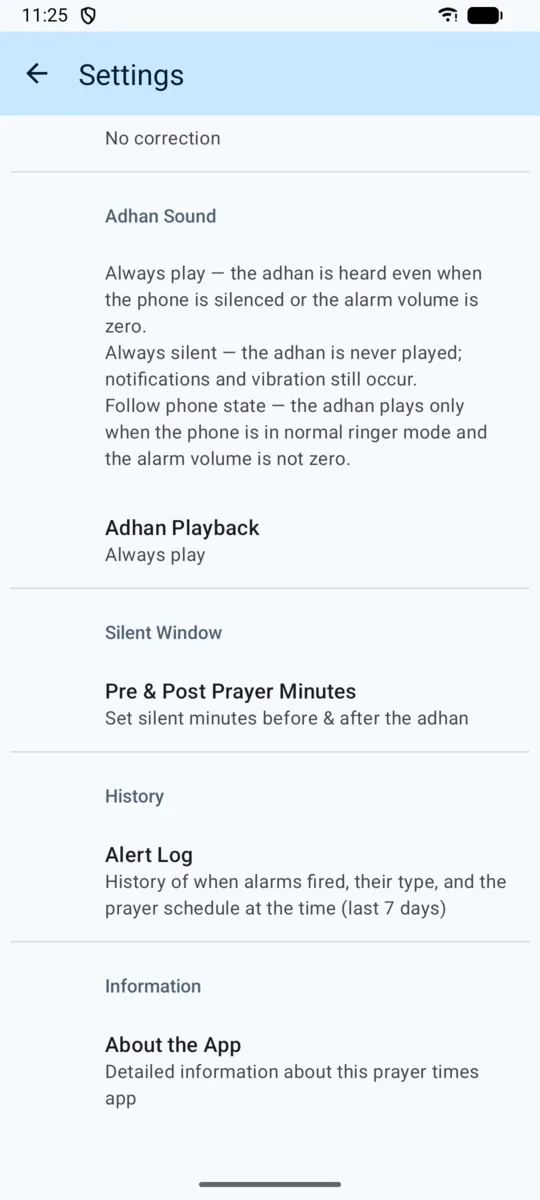
Set how many minutes before and after the adhan for each prayer, or set them all at once. Friday has its own setting for Dhuhr, because the sermon takes longer.
-
Adhan the way you want
Always play, even when the phone is already silent. Always silent, just vibration and a notification. Or follow the phone, playing only when the ringer is in normal mode.
-
Times for where you are
Calculated on your phone from your location, using Indonesia's Ministry of Religious Affairs method by default. MWL, ISNA, Egypt, Makkah, Karachi, Tehran, and Jafari are also available.
-
Qibla compass and Hijri calendar
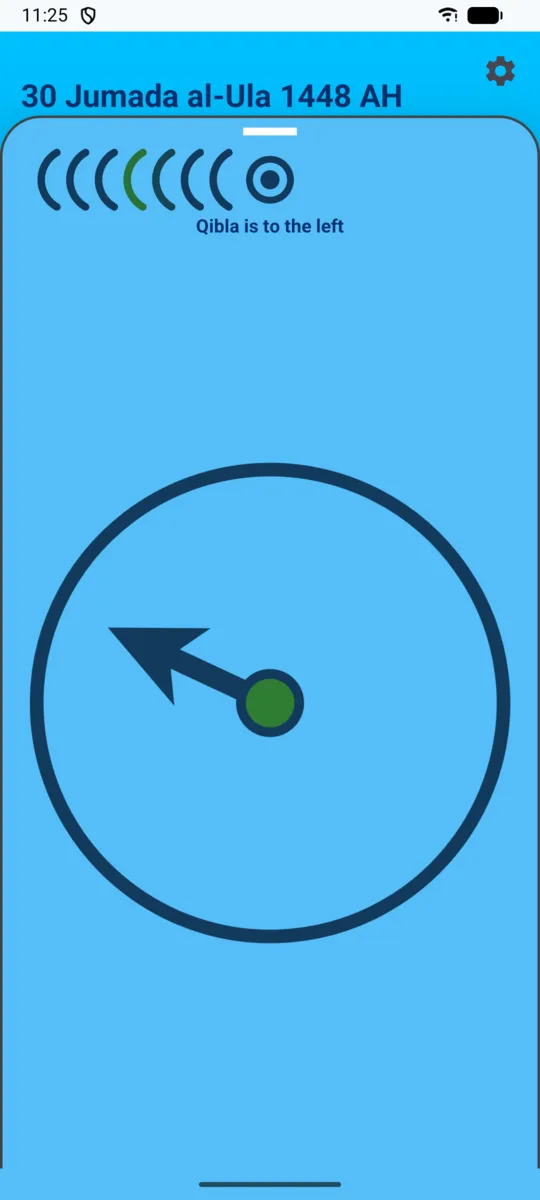
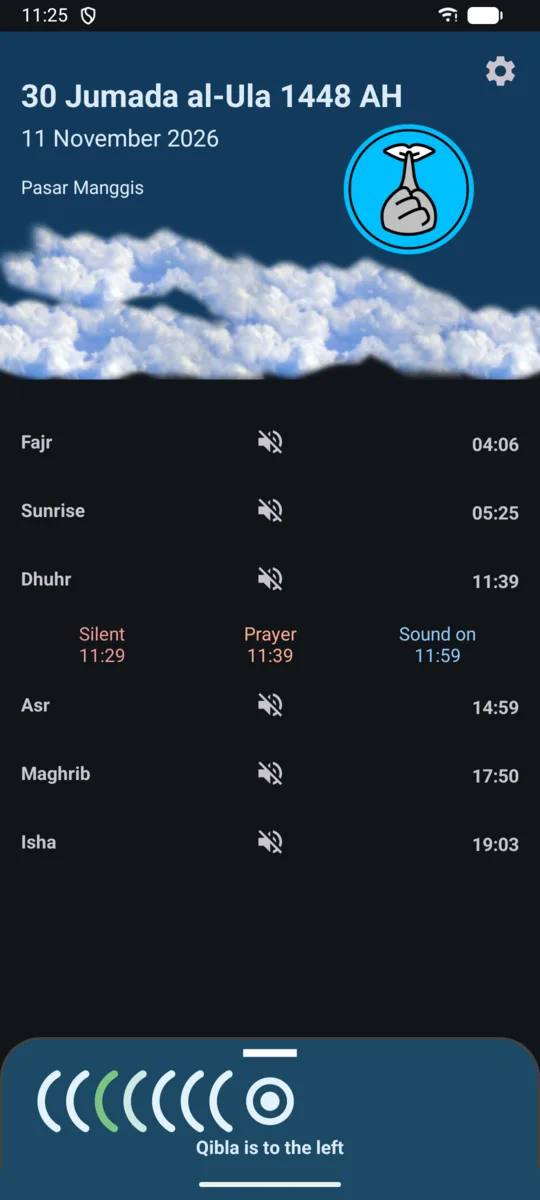
The Qibla compass uses your phone's sensors and tells you whether the Qibla is to your left, to your right, or straight ahead. The Hijri date can be adjusted by up to two days to match your local announcement.
-
Private, three languages, two themes
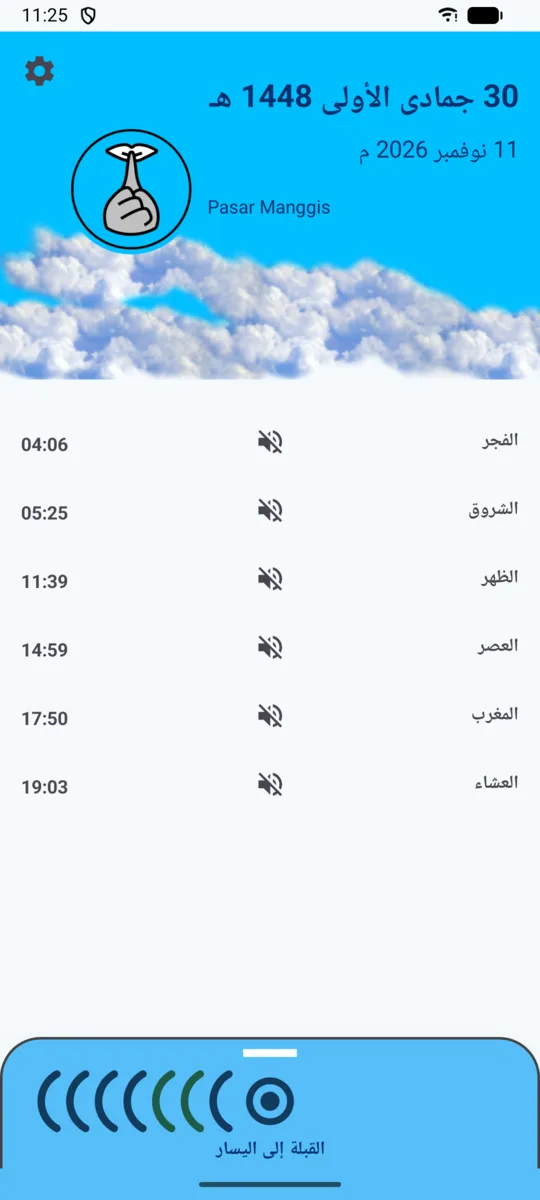
No ads, no account, and not even internet permission. Available in Indonesian, English, and Arabic, with light and dark themes.
How it works
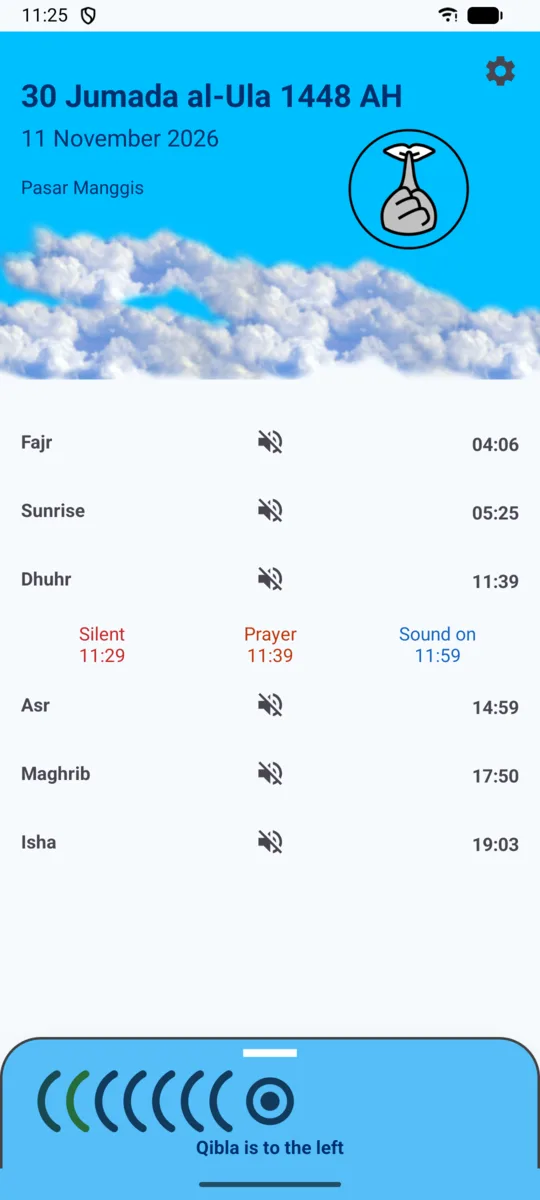
Each prayer goes through three stages. The minutes below are defaults and can be changed. On Friday, the defaults are 20 minutes before and 40 minutes after.
-
Silent
10 minutes before the adhanThe phone vibrates, a short adhan plays as a reminder, and then the phone is silenced. A notification shows until when it stays silent.
-
Prayer
At prayer timeThe phone vibrates once and the notification changes to "Time for Dhuhr" with the time. The phone stays silent.
-
Sound on
20 minutes after the adhanThe phone's sound is restored as it was, and a notification tells you the next prayer and its time.
Screens
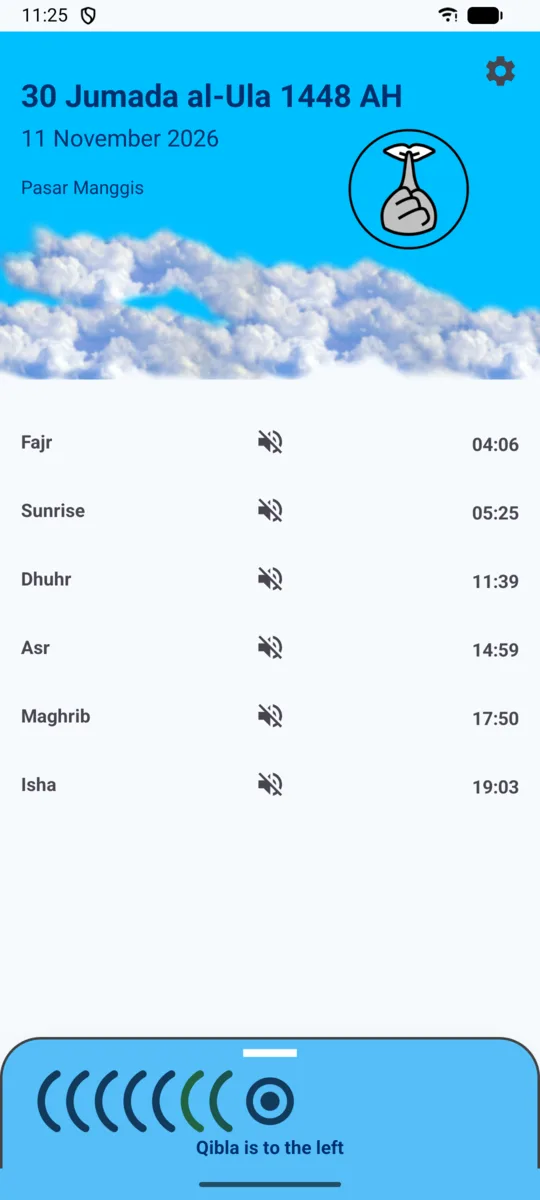
One screen for today's times. Tap the silent icon to see the window, pull up the bottom panel for the Qibla compass.
Frequently asked questions
Why does the app ask for Do Not Disturb access?
Android only lets an app change the phone's silent mode when it has Do Not Disturb access. Silencing the phone is what this app is for, so this access is required. When you first open the app, it walks you through granting it step by step, along with location permission.
Is my location sent to a server?
Not to ours. Prayer times and the Qibla direction are calculated on your phone, and the app has no internet permission. The only thing that leaves the phone is a place-name lookup through Android's built-in geocoding service, so the main screen can show the name of your area. The details are in the privacy policy.
If I travel to another city, do the times change?
Yes. The location is updated every time you open the app, and before each prayer the app also uses the phone's last known location. The app does not track your location in the background, so after arriving in a new city it is best to open the app once.
What happens if the location is not known yet?
The main screen says the times are only an estimate. Until then, the app does not silence the phone or play the adhan, because an adhan at the wrong time is worse than none. Instead, you get a notification so you can grant permission or open the app.
Does it keep working after a restart?
Yes. The schedule is set up again automatically after the phone starts, after the app is updated, and after the clock or time zone changes. A history of every reminder from the last seven days can be viewed and exported from Settings.
Is it really free?
Yes. No ads, no in-app purchases, and no account needed.
When will it be on Google Play?
It is in the final stage of release preparation. To be notified when it launches, email hello@punyagw.id.